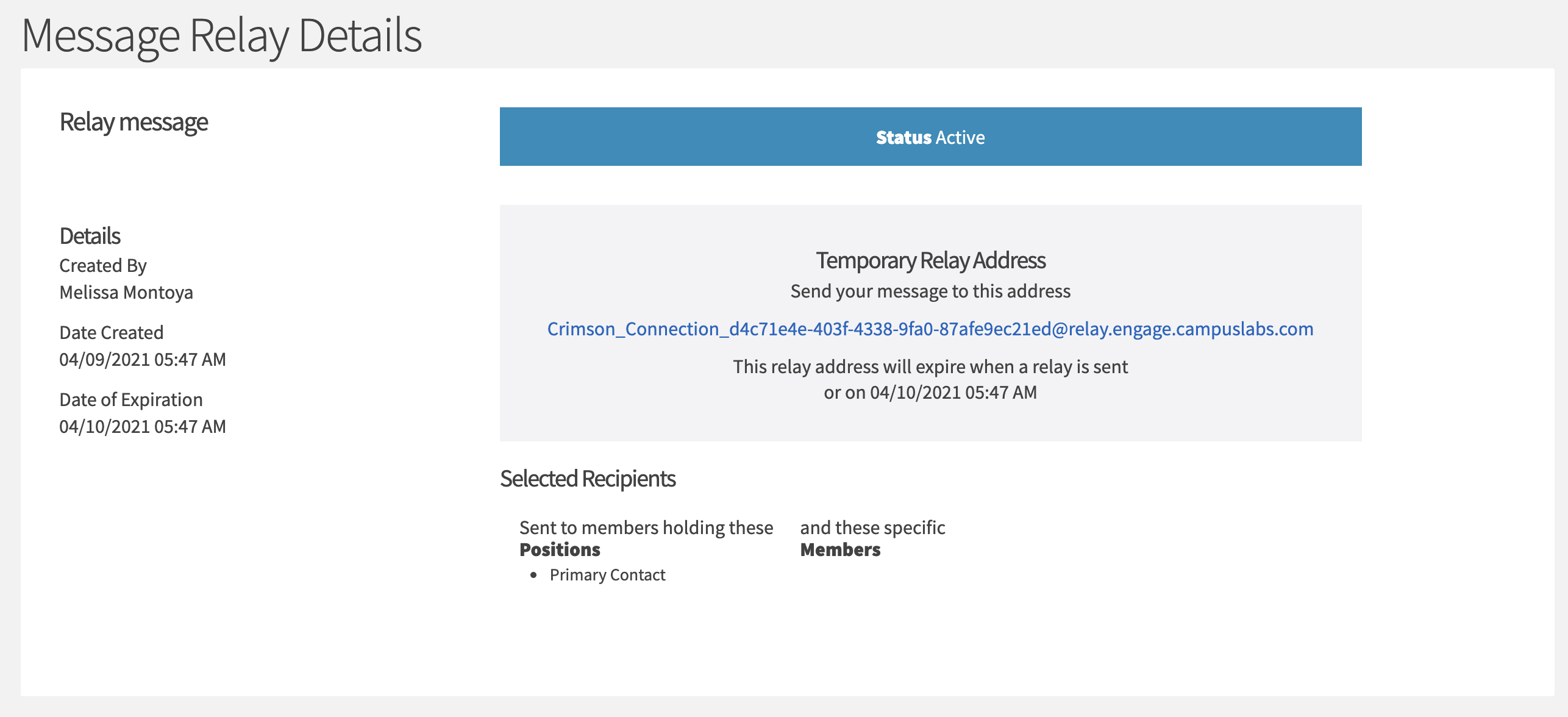
Crimson Connection allows you to send e-mails or text messages to your entire membership roster or subsets of your membership.
These e-mails can sent via any mail platform, and can include links and attachments (they can even be HTML newsletters!). These emails can take up to one hour to send, so please plan accordingly.
The test SMS messages will ONLY be sent if your organization member has updated their contact information under their personal account and included a phone number.
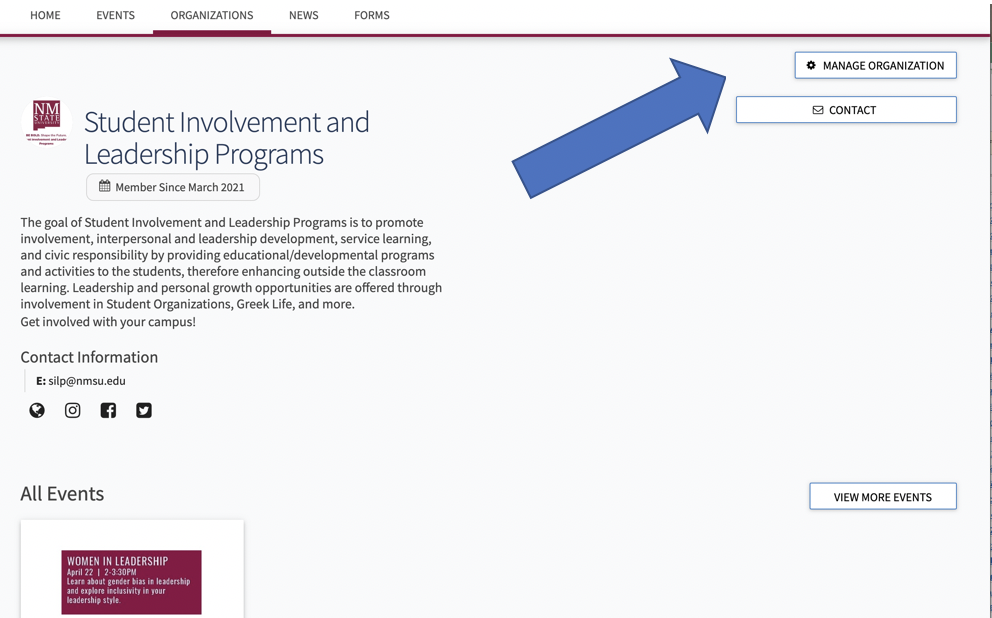
1.Go to your organization’s home page and select Manage Organization in the right corner.
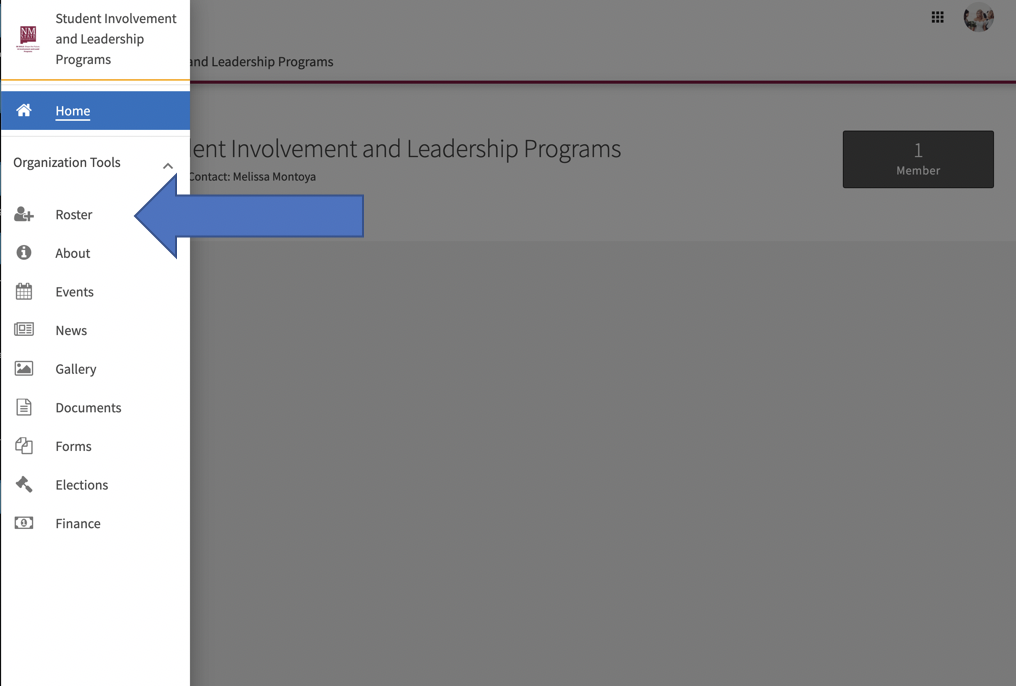
2. Click the toolbar on the left, then select Roster
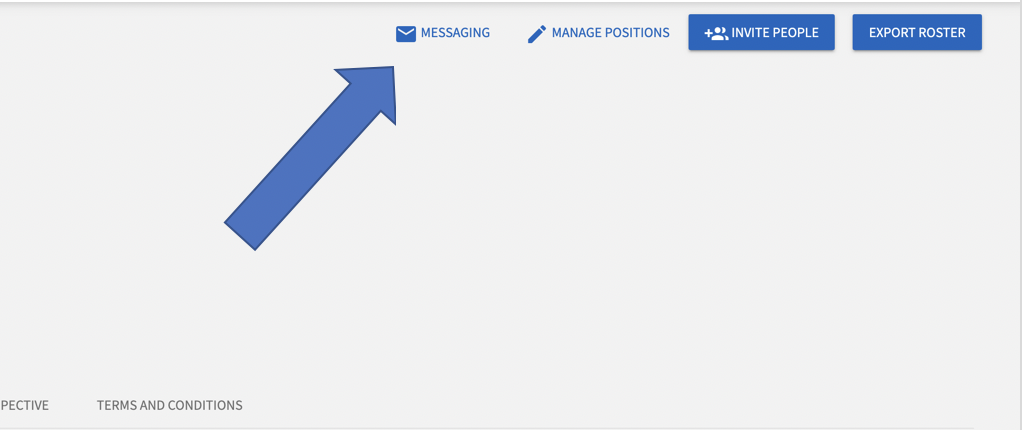
3. Click Messaging
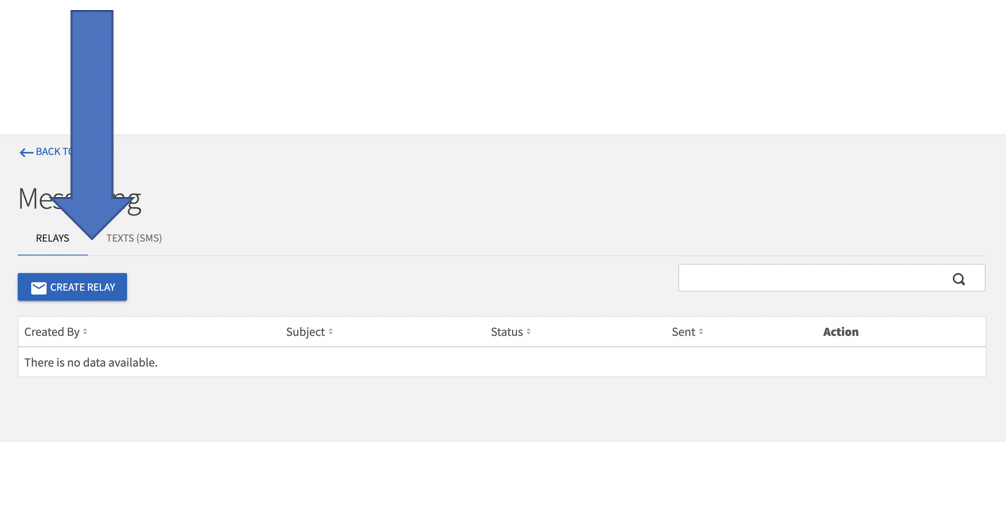
4. Click Create Relay under the relay section or text message under the tab next to relay
5.Select the recipients for your message by clicking Edit
a. Positions – everyone holding the selected position**To send to all members, select “Member” here**
b. Members – select the individual(s) to receive the message
6.Enter a Title for the Message (you can edit the subject of the email later)
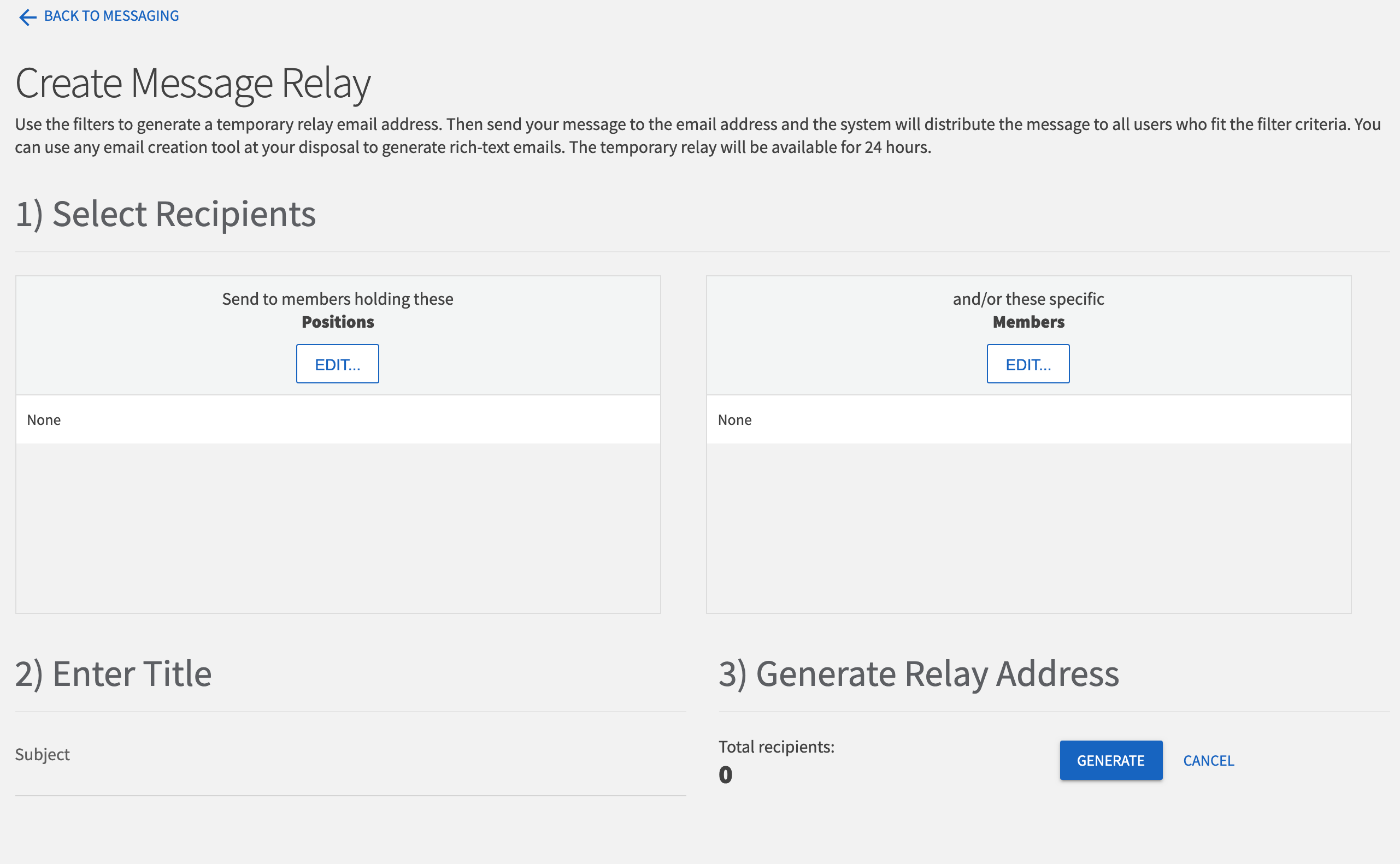
7.Click Generate
Click or copy the link to use as the email address. You can send the message via Google, Outlook, Email Creator, or any other email client. The link is only active for 24 hours. Similarly with a text message, you will be able to send out the text message after you create the message and add members.